


Site Tracker
4.66.00 Reviews
App Specs
- Version
- 1.0.9
- Updated On
- License
- Free
- Downloads
- 10,000+
- Developer
- Alpha game
- Categories
- Maps & Navigation
- Platform
- Android
Screenshots
 Analysis by AppCompare
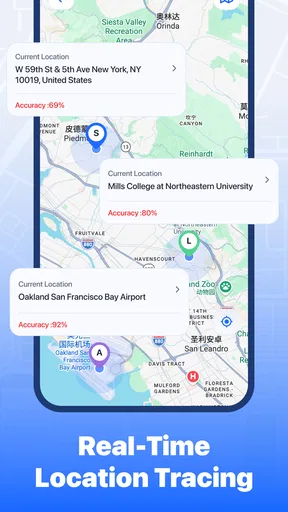
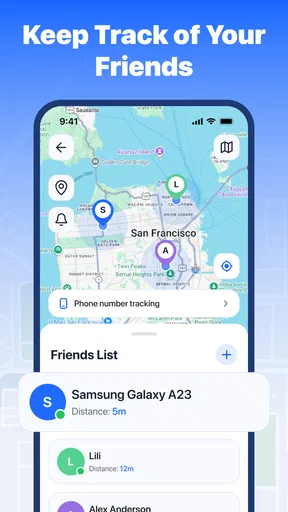
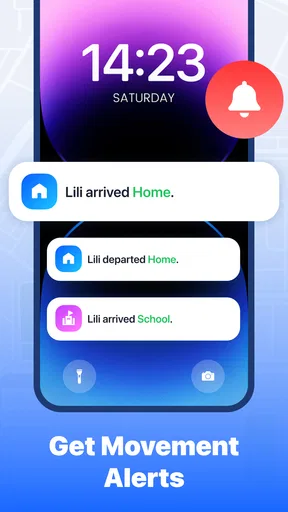
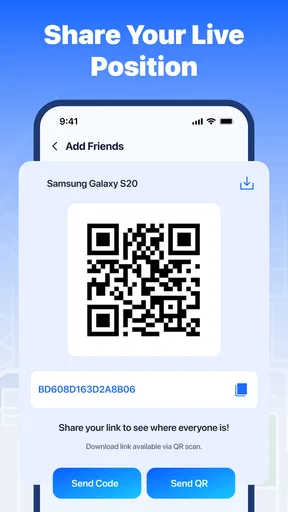
I approached Site Tracker as a practical safety tool rather than another app that I would open only when I needed directions. Its purpose is to help trusted friends share their whereabouts in real time and receive safety alerts, so the value appears when people need to stay connected during a journey, an outing, or a situation where a simple “I’m okay” message is not enough. After spending time with it, I think its appeal is easiest to understand when you view it as a small coordination layer between people who already trust one another.
The app sits in the Maps & Navigation category, but that label only tells part of the story. This is not the kind of navigation tool I would choose to find the fastest route or replace a dedicated map service. Instead, it focuses on awareness: knowing where a friend is, helping someone feel less alone while travelling, and making safety-related communication more direct. That narrower purpose is also its main strength. I do not have to turn a full navigation app into a complicated group-planning system when all I want is a clearer connection with a few people.
Site Tracker is free, developed by Alpha game, and suitable for Everyone. Its current release is version 1.0.9, and it works on devices running Android 8.0 or later. The app has a 4.7 average from around 170 ratings and has passed 10 thousand installs, which gives it a modest but encouraging footprint. I would still judge it by whether it fits my routine, not by its rating alone, because location sharing is personal and the right choice depends heavily on who I plan to share with.
What to expect before you begin
The first thing I would tell a new user is to keep the app’s role clear. Site Tracker is most useful when a small group has a shared reason to remain reachable. That could mean friends travelling home separately, family members checking in during an outing, or a group that wants a mutual view of everyone’s location while moving between places. It is less compelling if you only need turn-by-turn directions or a one-time pin sent in a chat.
The word “mutual” matters here. The experience is built around trusted people tracking one another rather than treating one person as a passive subject. That makes the app feel more balanced for group use, but it also means the social arrangement needs to be comfortable for everyone involved. I would not install it casually with a large group just because sharing a map sounds convenient. A smaller circle with a clear reason for using the app is likely to produce a calmer and more useful experience.
Before relying on any location-sharing tool, I recommend agreeing on its purpose. For example, a group could decide that it is for a walk home, a trip between meeting points, or a temporary safety check. That simple conversation prevents a common problem: people opening the app without knowing whether they are expected to watch continuously, respond to an alert, or simply check in occasionally. The technology can connect people, but it cannot replace an agreed plan.
There is also an important distinction between awareness and emergency response. Safety alerts can help draw attention to a problem, but I would not treat the app as a substitute for local emergency services or a direct phone call when immediate help is needed. That is not a criticism of Site Tracker; it is sensible practice for any app that handles location and alerts. I see it as a supporting tool that can reduce uncertainty, not as a guarantee that someone will always notice an event instantly.
Worth Reading Before You Choose

Flipboard Shows What News Apps Must Do Beyond the Feed

Switching to Android Auto Means Rethinking Your Driving Routine

Google Calendar Makes a Crowded Week Easier to Manage

Ludo King Makes the Most of the Minutes Between Plans

Baby Panda World Brings Quick Play to Modern Phones, but Its Game Library Feels Busy

ESPN’s Live Game View Makes Following Close Games Easier
Starting with the right group
My preferred first test would be with one or two people I already know well. A small trial makes it easier to understand the shared experience without creating unnecessary exposure. I would tell them why I want to use it, when I expect it to be active, and when we can stop using it. That last point is easy to overlook. Location sharing should have a clear boundary, especially when the original reason for sharing has ended.
This approach also helps reveal whether the app suits the group’s habits. Some people are comfortable checking a map during a journey, while others prefer a simple message. If your friends rarely open location tools or dislike ongoing tracking, a regular chat may be the better option. Site Tracker makes more sense when the group genuinely benefits from a shared view instead of merely adding another app to everyone’s phone.
Setting it up without making the first attempt confusing
For a first-time user, I would begin by installing the app on a compatible Android device and opening it when I have enough time to complete the setup calmly. I would avoid starting just as I was leaving home or entering a busy station. Location-based apps are easier to understand when I can read each screen, identify who is involved, and decide deliberately what I am comfortable sharing.
The most important setup decision is not a technical one; it is the choice of trusted contacts. I would start with people who understand the arrangement and are willing to participate. If the app presents any sharing or alert choices during setup, I would read them rather than accepting everything automatically. The useful question is always, “Who needs this information for this particular situation?” That keeps the group focused and reduces the chance of sharing location more widely than intended.
I would also check the phone’s location settings before assuming something is wrong. Location apps depend on the device being able to determine where it is, and a phone can behave differently when location access is restricted or when battery-saving choices limit background activity. I cannot promise that every device will behave identically, so my practical advice is to test the experience while standing somewhere familiar. A quiet test is far better than discovering a problem halfway through a journey.
One useful habit is to name the purpose of the session in plain language when you invite or coordinate with friends. “Use this for our walk back after the concert” is clearer than “turn tracking on.” The first version gives people context and a stopping point. It also makes it easier to notice when the app is no longer needed, which is a small but meaningful privacy improvement.
What I would verify before leaving
I would not assume that installing the app means the whole group is ready. Before relying on it, I would confirm that the intended contacts have joined the same arrangement and understand what they should do if an alert appears. I would then perform a short test from a nearby location rather than treating the first real trip as the experiment.
That test can answer several practical questions at once. Can everyone see the expected people? Does the map update in a way that makes sense? Do alerts appear where the recipient would notice them? Is anyone uncertain about whether sharing is active? These are not glamorous checks, but they are the difference between a reassuring tool and a source of extra stress.
I would keep a backup communication method available as well. A normal call or message is still valuable if a phone loses connectivity, a battery runs low, or someone cannot interpret what is happening in the app. The best workflow is not “the app replaces everything”; it is “the app handles shared awareness while ordinary communication remains available for clarification.”
Reaching the first meaningful success
The first successful action should be simple: create a small trusted group, begin a real but low-pressure location-sharing session, and have another person confirm that they can understand what they are seeing. For me, that is more meaningful than merely opening the map. It proves that the social and technical parts work together, which is what makes this app worthwhile.
A realistic example would be two friends leaving a late event by different routes. Before separating, they agree to use Site Tracker until both reach their destinations. Each person can then check the other’s progress without repeatedly sending messages such as “Where are you now?” If one person stops unexpectedly or needs attention, a safety alert gives the group a clearer reason to make contact. The app does not remove the need for judgment, but it can reduce the uncertainty that comes from silence.
Another good first use is a family outing where people may spread out temporarily. Instead of forcing everyone to remain together, the group can maintain a shared sense of where members are. This is especially useful when the point is coordination rather than navigation. I would still set expectations in advance: the map is there to help the group reconnect, not to encourage constant monitoring of every movement.
One non-obvious benefit is that mutual tracking can make check-ins less repetitive. In some groups, one person ends up acting as the organizer, collecting updates from everyone else. A shared location view distributes that awareness more evenly. The trade-off is that every participant needs to understand the arrangement, and some may find the visibility uncomfortable. The feature is valuable only when the group sees it as mutual support rather than supervision.
I would also test an alert during the trial, provided everyone knows it is only a test. This helps people learn what an alert looks like and how they should respond. A safety system that nobody has rehearsed can create confusion at the exact moment when people need to act calmly. The test should end with a clear message that the situation was practice, so nobody mistakes it for a genuine concern.
Common points of confusion and how I handle them
The first likely confusion is assuming that a location shown on a map is perfectly current. In real use, location information can take time to update, and a displayed position should be treated as useful context rather than an exact promise about someone’s present step. If a friend appears stationary, I would not immediately conclude that something is wrong. I would consider the surroundings, the person’s phone, and the agreed plan before reacting.
A second confusion is mixing up an alert with a conversation. An alert is meant to draw attention, while a call or message may be needed to understand what the person actually needs. If I saw an unexpected alert, my next action would be to contact the person directly and use the map as supporting information. That approach avoids both extremes: ignoring the alert and panicking without checking the situation.
Privacy is another area where a little planning makes a major difference. I would not add acquaintances, public groups, or people who have no reason to know where I am. I would also end a sharing session when the journey or activity is over. The app’s usefulness comes from purposeful sharing, not from leaving every connection active indefinitely.
Some users may also expect Site Tracker to provide the complete feature set of a large navigation platform. That is not how I would evaluate it. If I need route planning, traffic context, business information, or detailed directions, I would use a conventional maps app. If I need a quick message with a single meeting point, a chat app may be faster. Site Tracker earns its place when several trusted people need ongoing mutual awareness and safety-oriented communication.
There is a practical trade-off between convenience and attention. A shared map can save messages, but it may tempt people to keep checking it. I would encourage the group to agree on sensible check-in habits instead of watching continuously. That reduces distraction for the people travelling and keeps the app focused on reassurance rather than surveillance.
Who should use it, and who should skip it
I think Site Tracker is a good fit for friends or relatives who regularly travel together, separate during outings, or want a temporary safety arrangement. It is also worth considering for people who find repeated status messages tiring but still want a mutual view of a group’s progress. The app’s free availability makes a small trial easy, and its Everyone rating makes it approachable for a broad audience.
I would skip it if my main need is turn-by-turn navigation, route discovery, or a one-off location pin. I would also avoid introducing it into a group where people feel pressured to share their movements. Mutual tracking only works when consent is genuine. In that situation, a simple agreed message such as “I arrived safely” may be more respectful and just as effective.
It may not be the best choice for a large organization or a situation requiring formal dispatch, detailed incident handling, or guaranteed emergency response. The app’s strength is personal trust between a manageable group of people. When the situation becomes operational or highly structured, a purpose-built service may offer better controls and clearer responsibility.
My next-step routine after the first test
Once the first session works, I would keep the workflow deliberately simple. I would create a habit of announcing when tracking begins, using it for the agreed activity, and confirming when it ends. That routine prevents the app from becoming vague background monitoring and gives everyone a shared understanding of what the map means at any moment.
I would also review the group after the activity. Did everyone understand the alerts? Was the map helpful, or did people keep checking it without gaining anything? Did anyone feel uncomfortable with the arrangement? These questions help determine whether Site Tracker is genuinely improving safety or merely adding another notification stream. A good tool should make coordination easier, not create a new obligation.
For repeated use, I would reserve it for situations where its mutual view has a clear advantage over normal messaging. A walk home, a divided group outing, or a journey with a planned safety window makes sense. Using it automatically for every ordinary trip may dilute its value and make privacy boundaries harder to maintain.
My overall impression is positive, with a clear qualification: Site Tracker is most effective when trust, timing, and expectations are set before location sharing begins. Alpha game has positioned it as a focused Maps & Navigation app for real-time connection and safety alerts, rather than an all-purpose replacement for established map tools. That focus makes the first successful use easy to understand, provided I choose a small group and test it before depending on it.
With its 4.7 average and more than 10 thousand installs, it has already attracted a useful early audience, while version 1.0.9 keeps the experience current for compatible Android users. I would recommend trying it with one trusted friend during a short, ordinary outing. If the shared view and alert workflow make both of you feel more confident without feeling watched, it has found the right place in your routine. If all you need is directions or a single message, I would choose a simpler alternative instead.
Pros
- Tracks visited websites and browsing activity in one place.
- Simple interface makes reviewing site history quick and convenient.
- Useful for monitoring browsing habits and identifying time-consuming sites.
- Can help parents or users maintain better digital awareness.
- Lightweight design should have minimal impact on device performance.
Cons
- Privacy concerns may arise because the app handles sensitive browsing data.
- Tracking accuracy can vary between browsers and device configurations.
- Some features may require permissions that feel intrusive to users.
- Limited usefulness if browsing activity is spread across multiple devices.
- Background tracking may affect battery life depending on usage settings.
FAQs for Site Tracker
What is Site Tracker and what can I use it for?
Site Tracker is designed to help users monitor and organize information about websites in one place. Depending on the version you install, it may provide tools for saving sites, checking availability, receiving status updates, or tracking changes. It is useful for website owners, developers, and anyone who regularly needs to follow several online services without checking each one manually.
Does Site Tracker require an account or an internet connection?
Most of Site Tracker’s monitoring functions depend on an active internet connection because the app needs to contact websites and retrieve current information. Some versions may also require you to create an account so tracked sites, preferences, and notifications can be synchronized. Before downloading, check the app’s store listing for the exact sign-in requirements and whether guest or offline features are available.
Can Site Tracker send notifications when a website changes or becomes unavailable?
Notification support is one of the main reasons to use a tracking application, and Site Tracker may alert you when a monitored website changes, goes offline, or becomes available again. However, alerts can depend on your selected plan, device permissions, background activity settings, and the type of tracking offered. Make sure notifications and background access are enabled for reliable updates.
Is Site Tracker free to download and use?
Site Tracker may be available as a free download, but some monitoring tools, higher tracking limits, advanced reports, or frequent checks can require in-app purchases or a subscription. The exact pricing and included features can vary between Android and iOS versions. Review the store page carefully before installing, especially if the app offers a free trial that automatically renews.
Is Site Tracker safe for monitoring websites and protecting my information?
Site Tracker should be downloaded only from an official Google Play or Apple App Store listing to reduce security risks. Before using it, review the developer name, privacy policy, requested permissions, and data-sharing details. Avoid entering sensitive passwords unless the app clearly explains why they are needed and how they are protected. Website monitoring alone normally should not require access to private account credentials.


